
Windows 10 & 11 · portable
Crash Scout
Find out why a PC crashes, blue screens or restarts while a program is running. Crash Scout reads the crash records Windows already keeps, decodes every blue screen stop code into plain English, ranks the likely causes, and tells you what to try, easiest first.
What it does
"It just reboots." Now you'll know why.
Blue screens decoded
Every bugcheck stop code from the event log and the minidump files, with its name, what it means in plain English, and the drivers that were running.
Tells crashes apart
A blue screen, a sudden restart with no blue screen, and a freeze that needed the power button point at different faults. Crash Scout sorts them out.
Likely causes, ranked
Graphics, processor, memory, power supply, heat, storage or a driver. Each with the evidence behind it and steps to try, easiest first.
Flight recorder
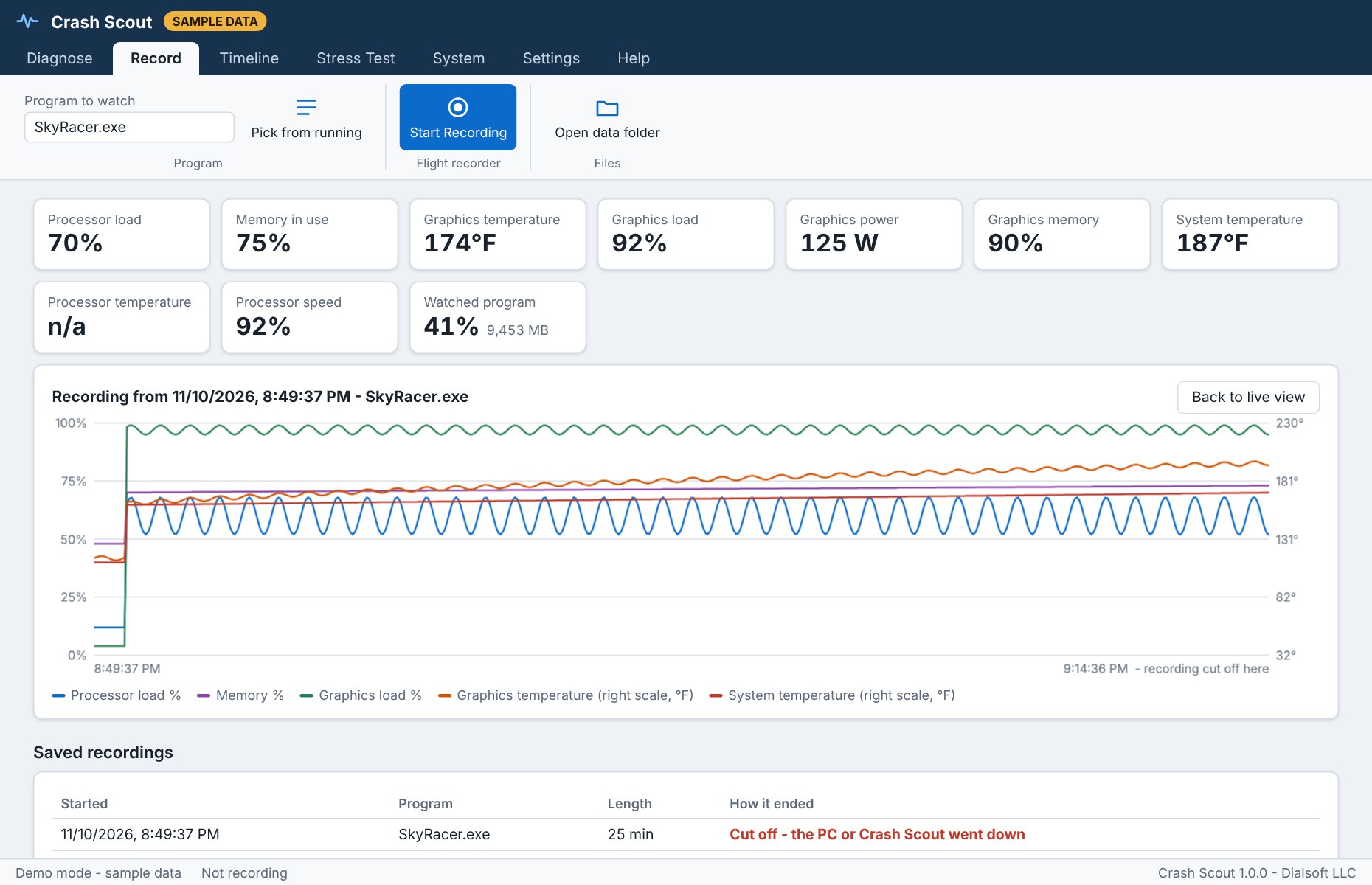
Name the program and press Start Recording. Temperature, load, memory and power are saved every second, so the moments before the next crash survive it.
Stress test
Is it the program, or the PC? Load the processor and memory from Crash Scout itself. Errors or a crash there mean the hardware is at fault.
Timeline in plain English
The crash-related Windows events, newest first, translated. Click any one for Windows' original wording.
Keep the blue screen up
One switch stops Windows from restarting instantly, so the blue screen stays on the monitor long enough to read.
Report to save or send
Save the whole diagnosis as one web page to print, email, or attach to a support ticket.
Keeps itself current
Checks for a new version when it starts, verifies the download's fingerprint, and updates with one click. The check can be switched off.
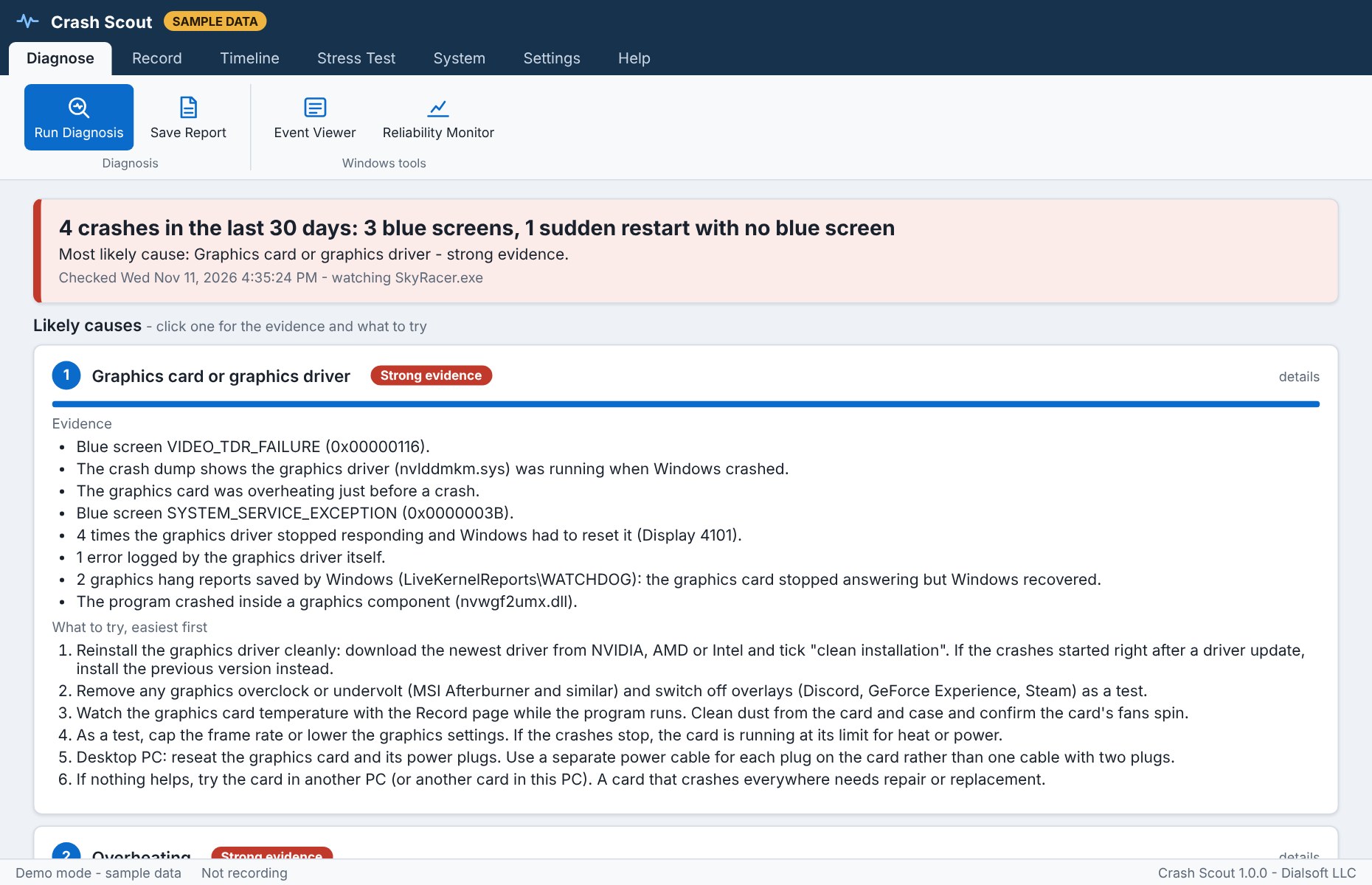
A verdict, not a log dump.
How many crashes, what kind, and the most likely cause, labeled Strong evidence, Likely or Possible. Open a cause to see exactly what points to it and what to try.
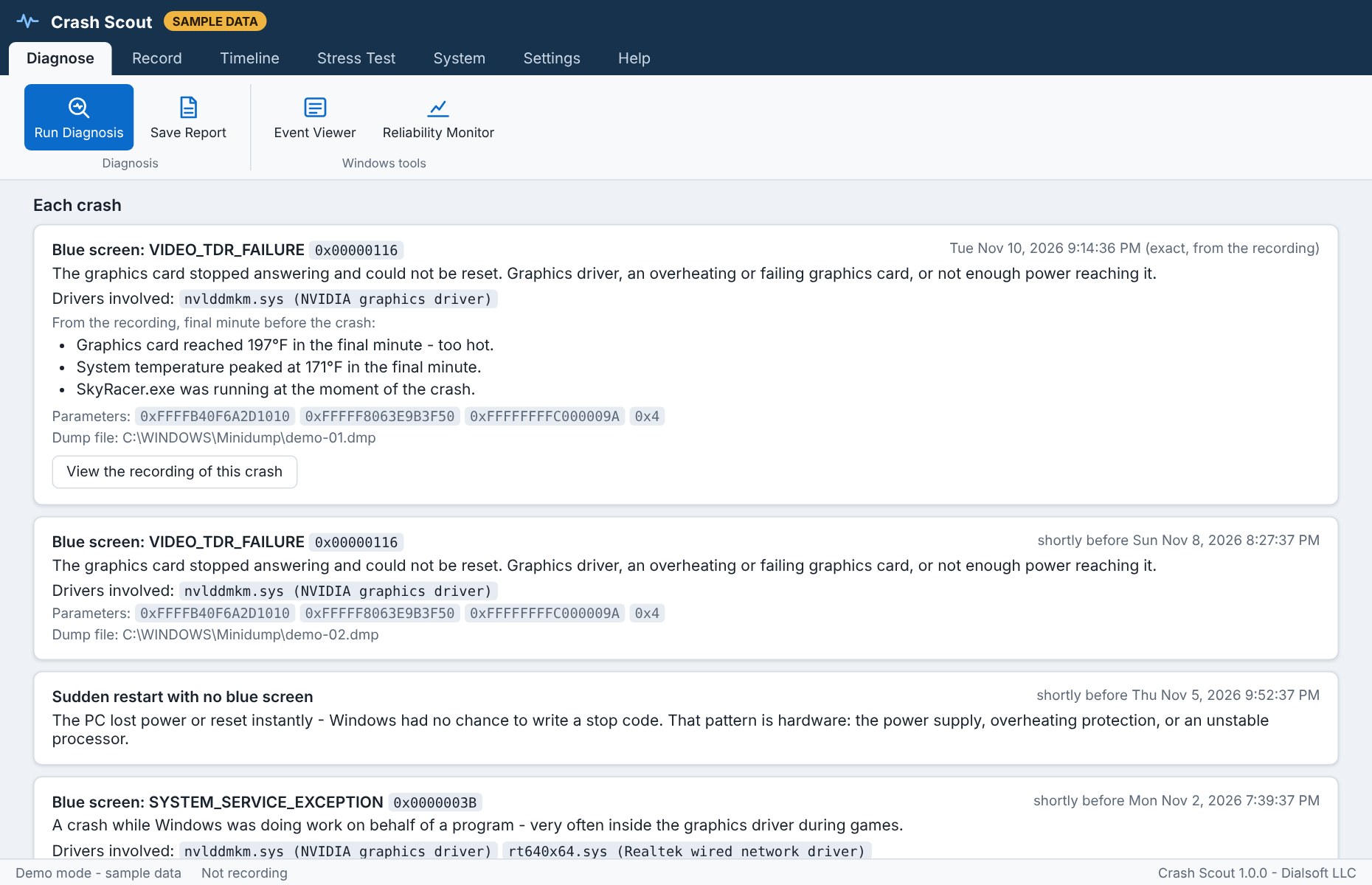
Every crash, explained.
Each blue screen gets its stop code, its meaning, the drivers involved and the parameters a support technician will ask for.
The last minutes, on record.
When a recording is cut off by a crash, the chart shows what the PC was doing right up to that moment. Here the graphics card kept getting hotter.
Get started
One file. Nothing to install.
- Windows 10 or 11, 64-bit.
- Run CrashScout.exe and answer Yes to the administrator prompt. That is needed to read blue screen dump files.
- Press Run Diagnosis. Reading the crash history takes 10 to 30 seconds.
- Its window uses Microsoft Edge, which every Windows 10 and 11 PC already has.
- Graphics card temperature and power readings are fullest on NVIDIA cards. True processor core temperatures appear when the free LibreHardwareMonitor is also running.
- Settings, recordings and reports are kept in a CrashScout-Data folder beside the EXE. Nothing about the PC is sent anywhere.
Seeing “Windows protected your PC”? New programs can trigger SmartScreen until they're widely downloaded: click More info → Run anyway. Only download Crash Scout from dialsoft.com or Dialsoft's GitHub page. The user guide is built in, on the Help tab.