
Windows 10 & 11 · free
WinFo
Everything about a Windows PC, on one screen, explained in plain English. Hardware, software, security, temperatures and problems, with anything that needs attention in yellow or red. Built for the IT person who has to walk up to a PC and find out what's wrong, fast.
What it does
Walk up to any PC. Know what's wrong.
Summary dashboard
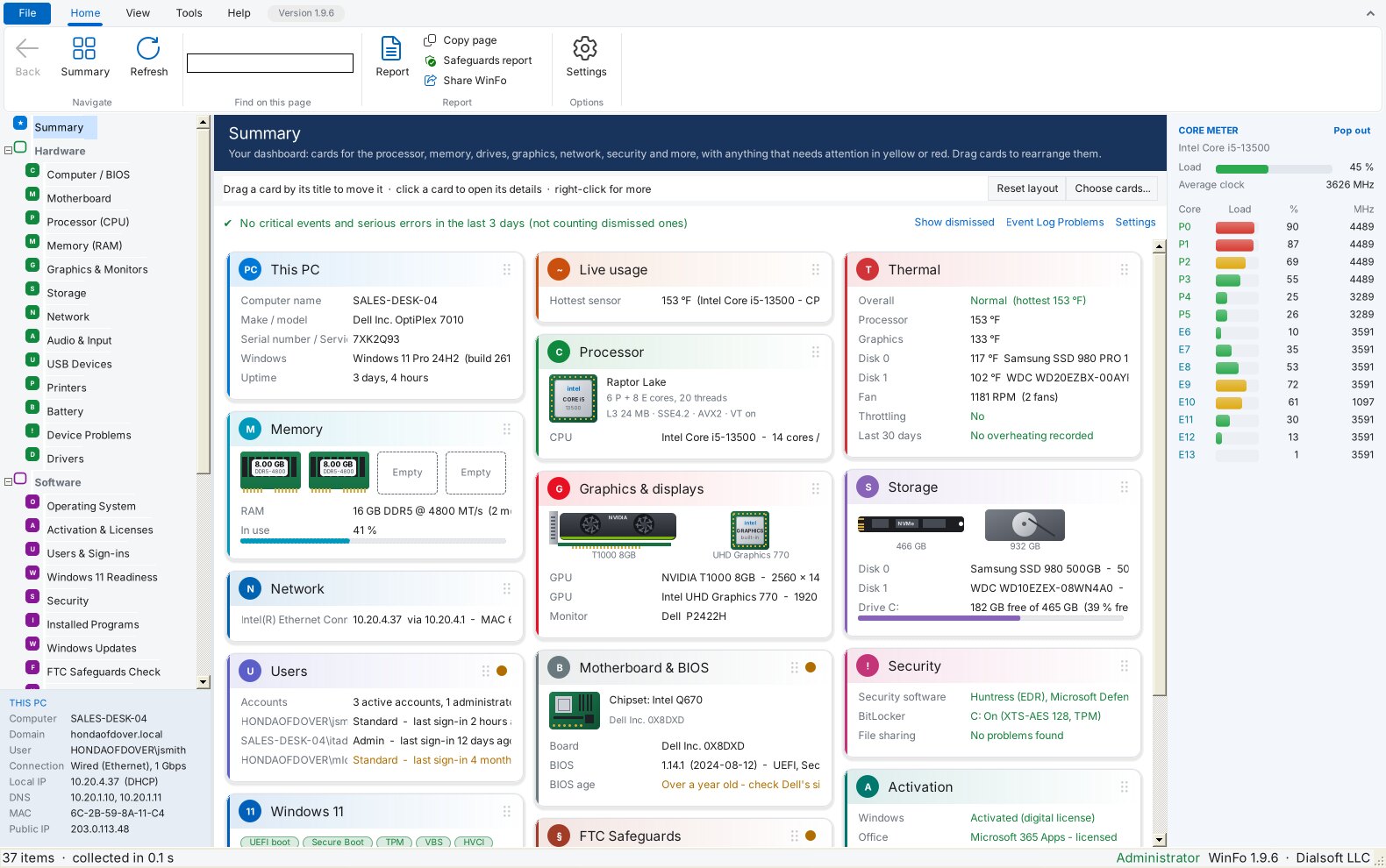
Cards for the processor, memory, drives, graphics, network, security, users, activation and Windows 11 readiness. Problems in yellow or red, each one explained.
Critical events up top
Sudden shutdowns, blue screens, failing disks and overheating from the event logs, with what each means and what to do.
Diagnose with AI
One click writes the question, with the PC's details and the event, and opens Claude, ChatGPT or Copilot.
Thermal card
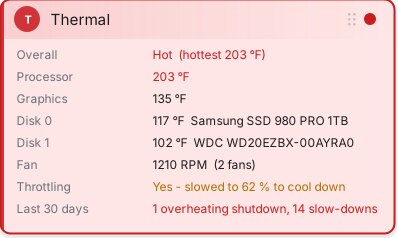
Processor, graphics and drive temperatures, fans, thermal throttling and 30 days of overheating history. The whole card turns red when a PC runs hot.
Hardware in pictures
The cards show the processor chip, each memory stick (empty slots too), the graphics card and the drives, and a live core meter runs down the right edge.
FTC Safeguards check
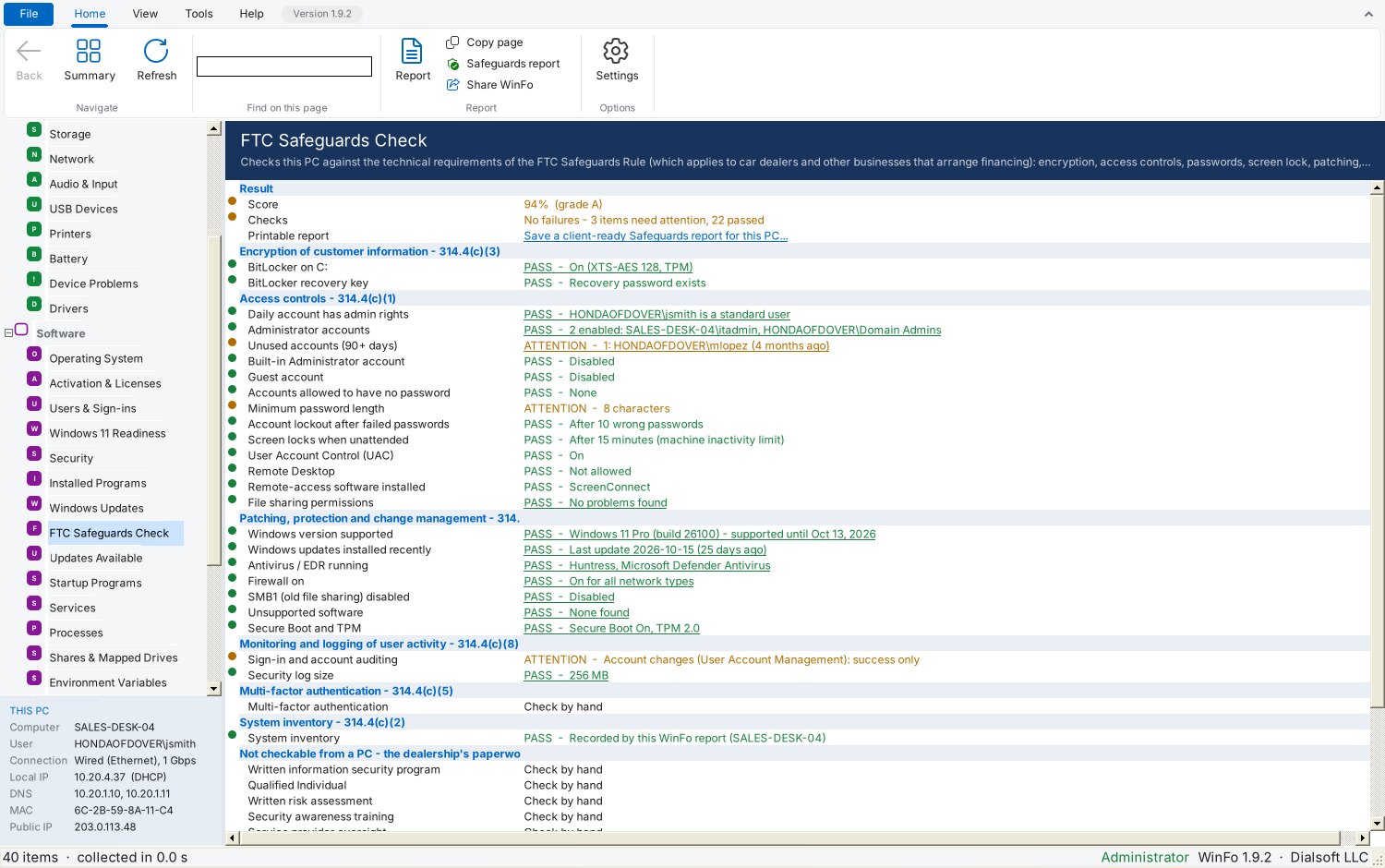
Encryption, accounts, patching, antivirus and logging checked against the FTC Safeguards Rule, with a printable report for the dealership's file.
Changes since last visit
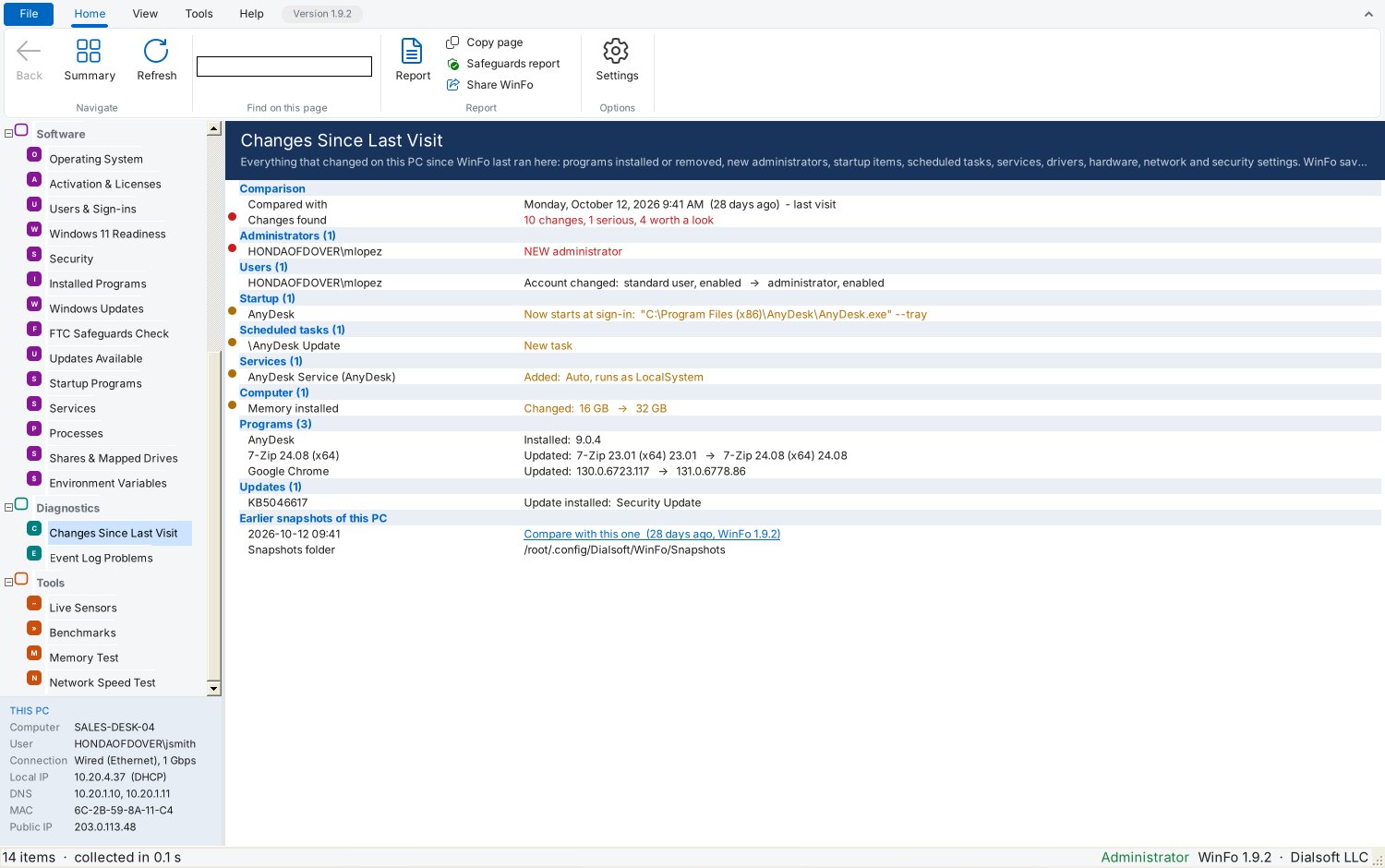
WinFo remembers every PC: a new administrator, a remote-access tool, new programs or hardware show up on your next visit.
A toolbox, too
Live sensors, benchmarks, a memory test, a network speed test and a QUIC check that fixes those QUIC errors in Edge and Chrome.
Whole dealer groups
Run it from your RMM and every PC lands in one spreadsheet, store by store, with a Safeguards score for each.
The whole PC, at a glance.
The Summary opens in seconds and fills in card by card, with pictures of the processor, memory sticks, graphics card and drives. Anything that needs attention is in yellow or red; point at it for a plain-English explanation, click it for the details.
Overheating, impossible to miss.
When a PC runs hot or slows itself down to cool off, the Thermal card turns red and a warning goes to the top of the Summary. It also shows overheating shutdowns from the last 30 days.
Compliance, documented.
The Safeguards check scores each PC against the FTC Safeguards Rule and prints a report you can hand the dealership for its compliance file.
What changed since you were here?
New administrators, remote-access tools, startup programs, services, hardware and updates since your last visit, with the risky ones flagged.
Get started
Installer or portable: your choice.
- Windows 10 or 11 (64-bit or 32-bit) with the Microsoft .NET Framework 4.8, which up-to-date Windows 10 and 11 already have.
- Installer (WinFo-Setup.exe): Start menu shortcuts for WinFo and its manual, optional desktop shortcut, uninstall from Settings › Apps. No administrator password needed.
- Portable (WinFo.exe): one file, nothing installed. Run it from a USB stick, a network share or the desktop. Keep it somewhere you can write to so it can update itself.
- Runs as a normal user; the Run as Admin button adds the details Windows only shows administrators (drive health and temperatures, TPM, BitLocker and more).
- Command-line switches for ConnectWise RMM and other tools: reports, Safeguards reports, snapshots and fleet spreadsheets. See the manual.
Seeing “Windows protected your PC”? New programs can trigger SmartScreen until they're widely downloaded: click More info → Run anyway. Only download WinFo from dialsoft.com or Dialsoft's GitHub page.