
Windows 10 & 11 · installer or portable
 DeskGrid
A tidy Windows desktop, in one click. DeskGrid gathers your desktop icons into shaded, labeled boxes called grids. Color them, roll them up out of the way, hide them all with a double-click, and let new downloads and screenshots sort themselves into the right grid. Nothing is ever deleted, and DeskGrid keeps itself up to date.
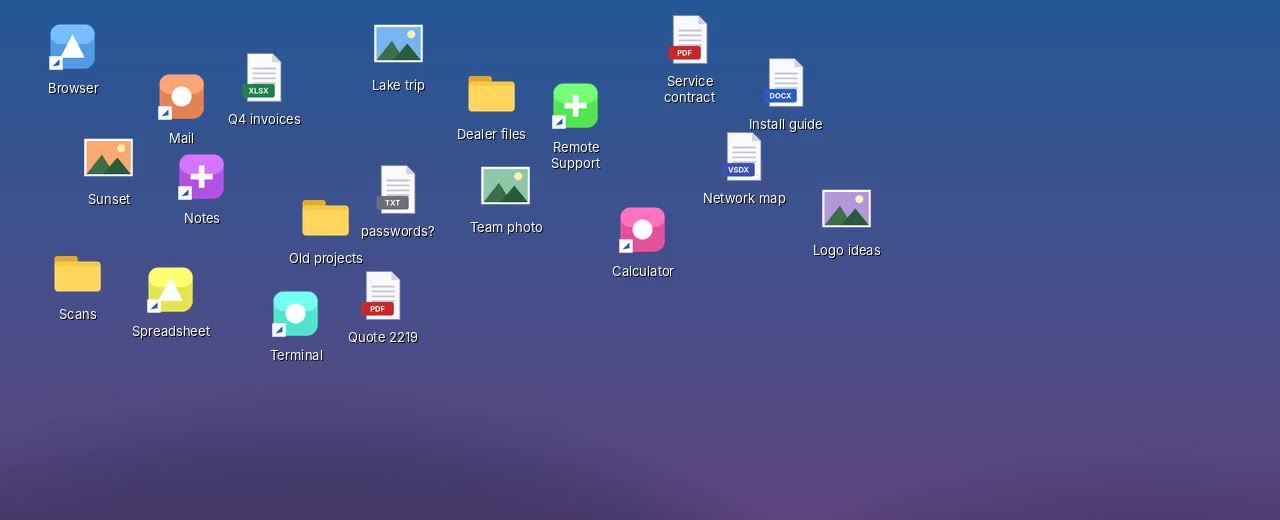
What it does
Your desktop, finally under control.
Organize in one click
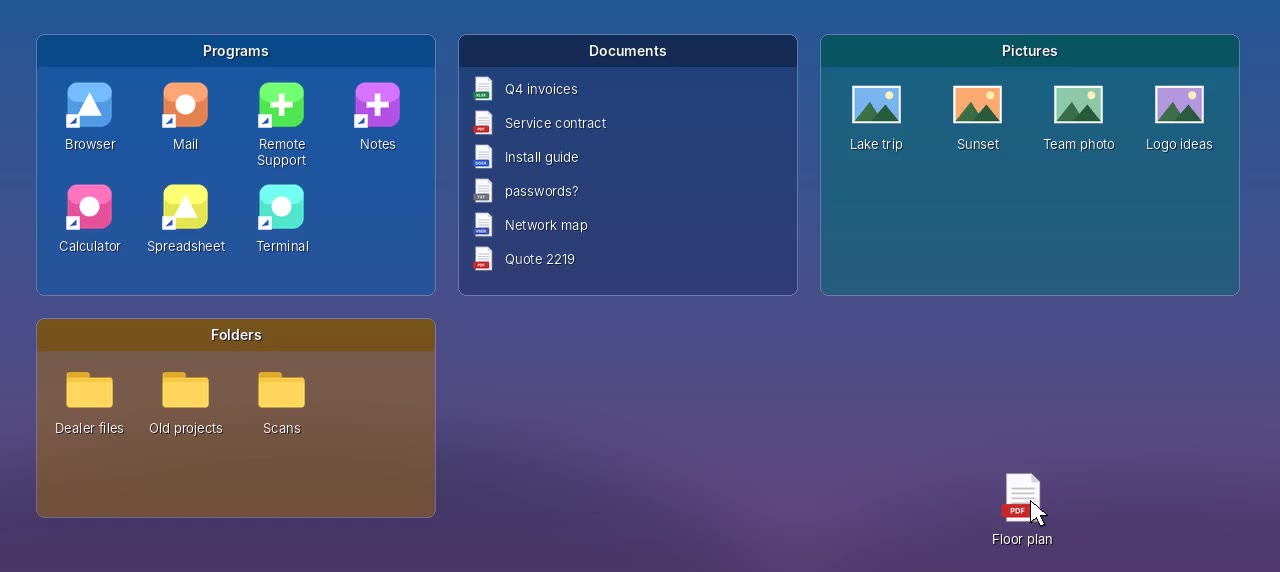
DeskGrid makes a grid for each kind of thing on your desktop (programs, documents, pictures, folders) and moves everything in. It shows you the plan first.
Drag in, drag out
Drop files on a grid to put them in. Drag them back to the desktop, into another grid or into any folder. Right-click an icon to open, rename or delete it.
Make it yours
Name, color and see-through level for each grid, icon size, large icons or a list, sort order, and calm “faded”, gray or tinted icon looks. Changes show instantly.
Roll up
Double-click a grid's title to shrink it to just its title bar. Point at it and it opens so you can peek inside.
Quick-hide
Double-click any empty spot on the desktop and every grid (and desktop icon) disappears. Double-click again to bring them back. Great for screen shares.
Peek
Desktop buried under windows? Press Ctrl+Alt+Space and your grids come forward. Press it again, or Esc, to put them back.
Folder Portals
Show any folder (Downloads, Documents, a share on the server) right on the desktop, and browse into its sub-folders. Nothing is moved.
Rules sort new files
“Screenshot*” goes to Pictures, PDFs go to Documents. New files land in the right grid a few seconds after they arrive.
Snapshots
Save your whole layout and get it back with one click. Positions are remembered separately for each monitor setup, so docking a laptop doesn't scramble anything.
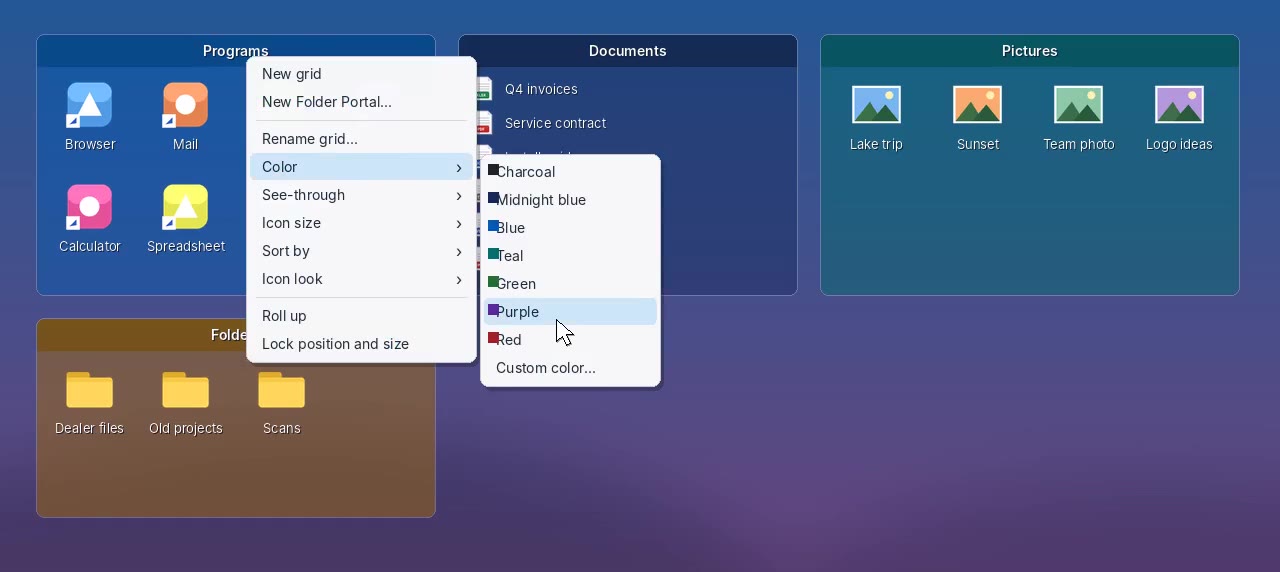
Right-click to customize.
Everything about a grid is on its right-click menu: rename it, change its color and how much wallpaper shows through, pick the icon size and sort order, roll it up or lock it in place.
Every change shows up on the desktop the moment you make it.
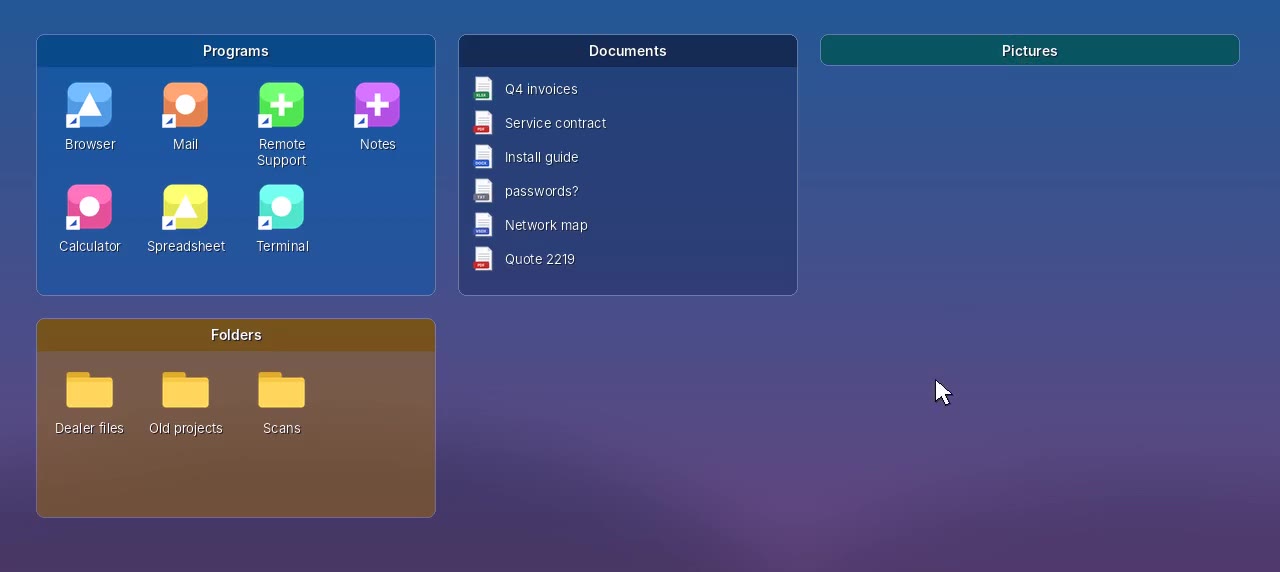
Roll it up out of the way.
Double-click a grid's title and it shrinks to just the title bar. Rest the mouse on it to peek inside; move away and it rolls back up.
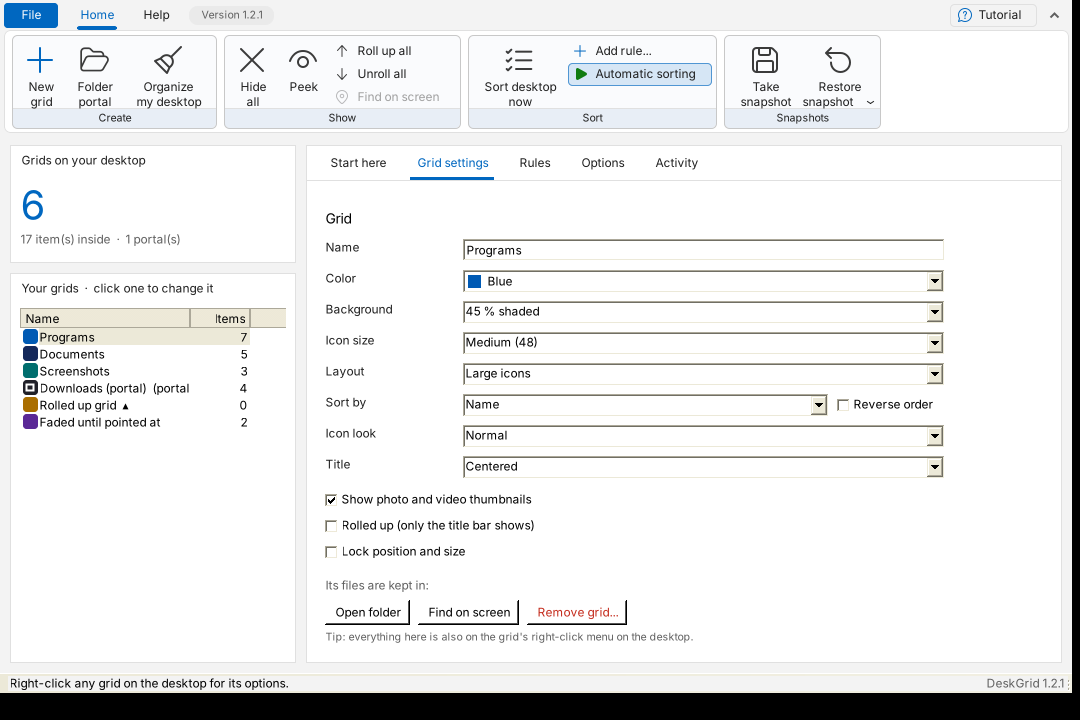
Peek over your windows.
Press Ctrl+Alt+Space and the screen dims while your grids come forward, so you can open what you need without minimizing anything.
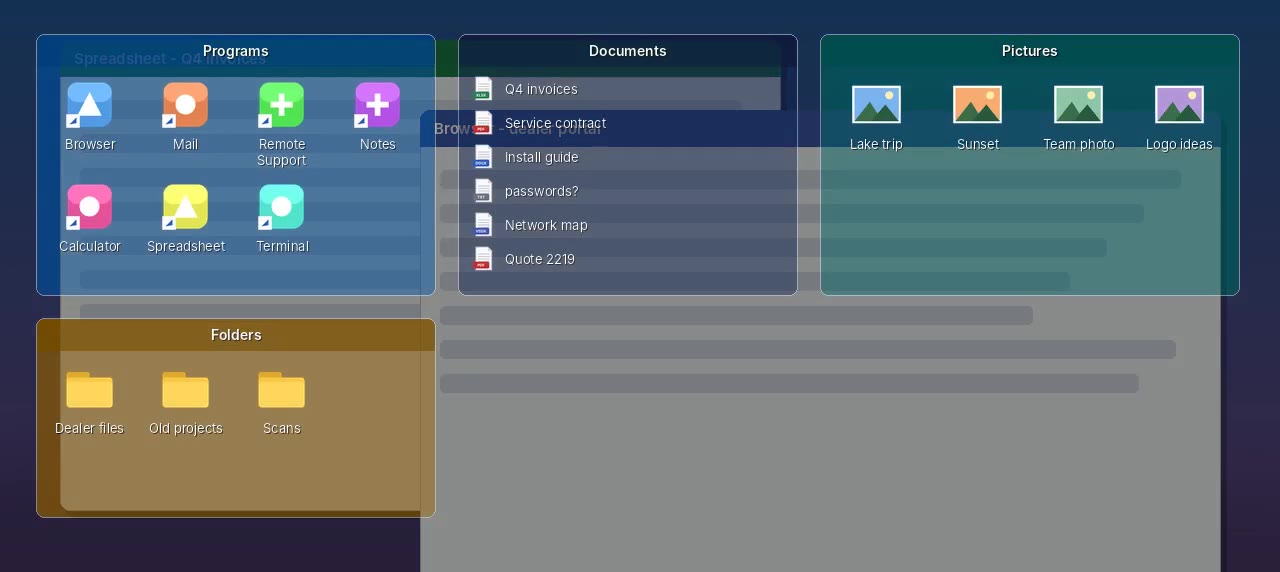
Any folder, right on the desktop.
A Folder Portal is a live view of a folder you already have. Double-click a folder inside it to browse in; the arrow in its title takes you back.
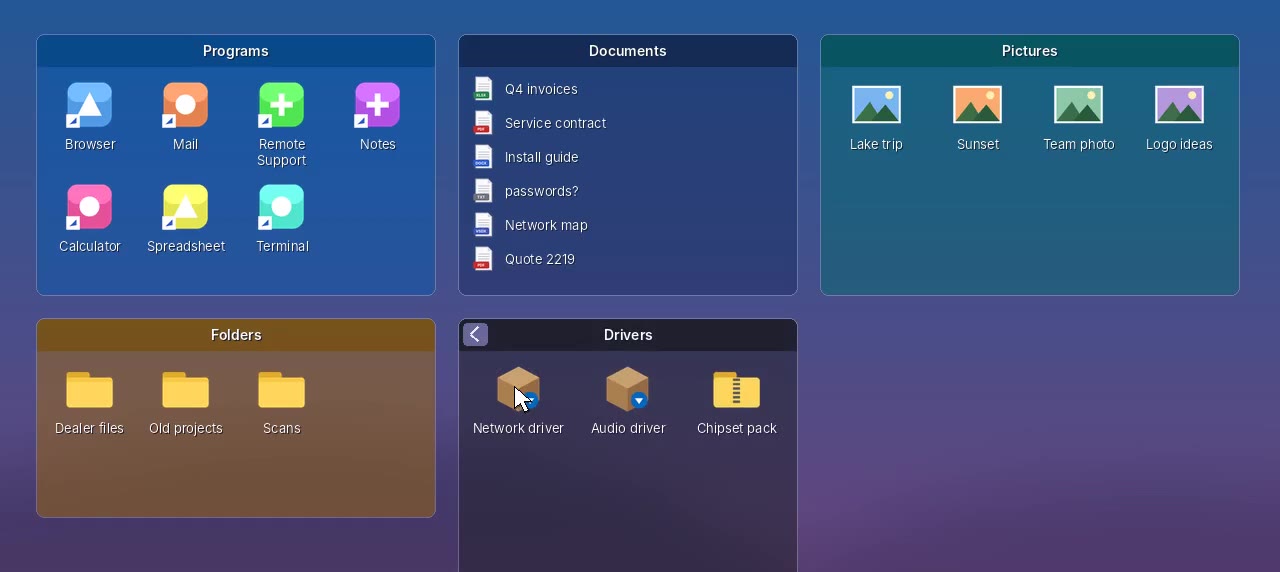
New files sort themselves.
Rules say “files like this go into that grid”: by kind, by file ending, or by a name pattern like Screenshot*. DeskGrid waits until a download has finished before moving it.
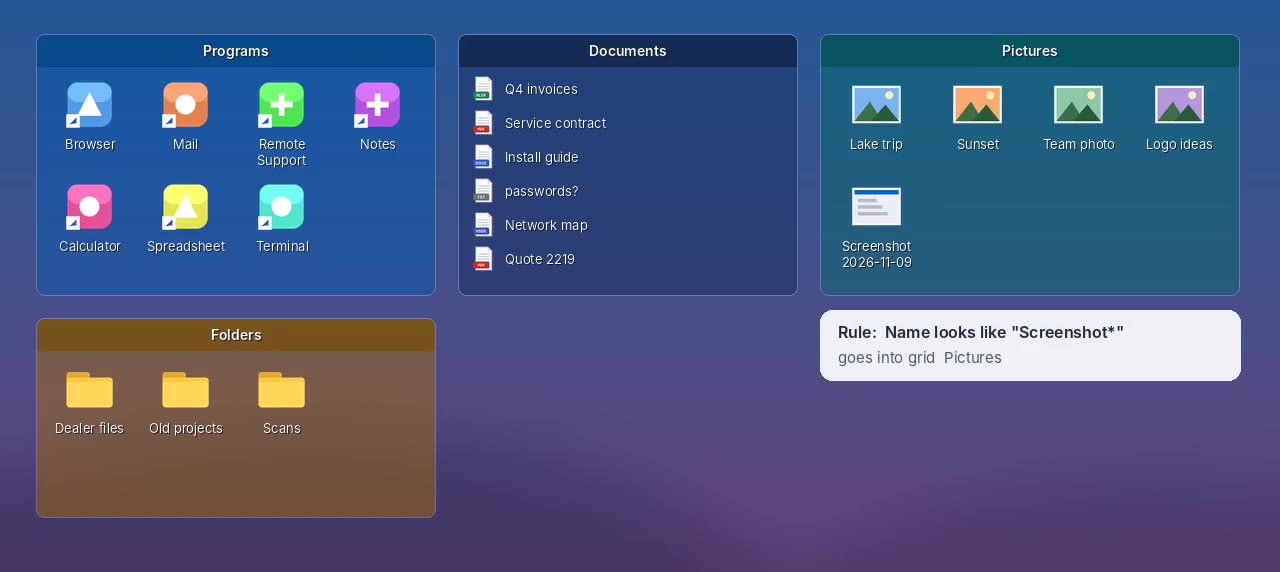
Everything in one window.
The DeskGrid window lists your grids and every setting, with rules, options, snapshots and an activity log. Point at anything for a plain-English explanation.
Get started
Installer or one portable file.
- Windows 10 or 11.
- Installer (DeskGrid-Setup.exe, recommended): no administrator password needed. It adds DeskGrid to the Start menu, starts it with Windows, and adds an uninstaller under Settings › Apps › Installed apps.
- Portable (DeskGrid.exe): put it somewhere permanent, such as your Documents folder, and double-click it. Nothing to install.
- Your files are never deleted. Each grid's files are kept in a hidden folder inside your Desktop folder, so OneDrive and backups still include them. Uninstalling turns that folder back into a normal, visible one.
- For IT:
DeskGrid-Setup.exe /Sinstalls silently for the signed-in user and starts DeskGrid;Uninstall.exe /Sremoves it and keeps the user's files and layout. - DeskGrid never sends anything about you or your files anywhere. The only internet use is checking GitHub for updates (which you can switch off).
Seeing “Windows protected your PC”? New programs can trigger SmartScreen until they're widely downloaded: click More info → Run anyway. Only download DeskGrid from dialsoft.com or Dialsoft's GitHub page.
What's new
Release notes
Version 1.3.1 · November 21, 2026
- Fixed: right-clicking the DeskGrid icon by the clock did nothing (the menu closed the instant it opened).
Version 1.3.0 · November 21, 2026 · important fix, please update
- Fixed: on Windows 11 24H2 and newer, grids could be invisible, so files moved into them by Organize my desktop or by rules seemed to disappear (they were safe in the hidden DeskGrid folder). Grids now show on these versions, stay put when you press Windows key + D, and still sit behind the windows you're working in.
- New safety check: before DeskGrid moves any file into a grid, it confirms the grid is really showing on screen. If it can't, it moves nothing and tells you why.
- Friendlier to security software: quick-hide no longer uses a system-wide mouse hook or reads Explorer's memory (SentinelOne and Huntress treat those as suspicious).
Version 1.2.1 · November 20, 2026
- DeskGrid has its own page here on dialsoft.com, with the download, video, release notes and manual. Help › User manual, Watch the video, About and the installer's Finish page now open it.
Version 1.2.0 · November 10, 2026
- New installer, DeskGrid-Setup.exe: no administrator password, Start menu entry, starts with Windows, uninstaller under Settings › Apps. The portable DeskGrid.exe still works.
- Uninstalling never deletes your files: the folder holding your grids' files becomes a normal, visible folder on the desktop.
- Installing over a running copy closes it cleanly first, then starts the new one. Your grids are kept.
- Silent install for IT:
DeskGrid-Setup.exe /S.
Version 1.1.0 · November 9, 2026
- New name: DeskGrid. The boxes on your desktop are now called grids. Setups from the earlier version carry over by themselves.
- The “Icons in a grid” layout is now called Large icons.
Versions 1.0.0 – 1.0.2 · November 2026
- First release: grids with colors, see-through levels, icon sizes, list view and sorting; drag and drop; roll-up; lock; snapping; Folder Portals; rules and Organize my desktop; quick-hide; Peek; icon looks; thumbnails; snapshots per monitor setup.
- Automatic updates, checked against a published SHA-256 fingerprint before installing (can be switched off in Options).
- Safer saving, recovery of grids whose settings were lost, and other safety fixes so files are never stranded.
- American spelling throughout.