
Windows · home appliance finder & port scanner
Port Scout
Your fridge, washer, oven, thermostat and robot vacuum are all little computers on your network. Port Scout finds them, then shows you exactly what each one has open: every port, its web pages, its encryption, and the commands it accepts. Made for beginners: every button explains itself. Same look as MAC Scout and Dialsoft's other tools.
What it does
Find every appliance. See every open door.
Finds your appliances
Lists every device on your network and puts the likely appliances first, marked LIKELY or maybe. Click one to see why.
Knows who made it
The official worldwide list of network-chip makers is built in, so it can tell a Whirlpool from an iPhone, even when the device has no name.
Every open port
Checks all 65,535 ports in a few minutes and asks each open one what it is, in plain English. Remote-login doors are shown in red.
Health monitor
Pings the appliance before, during and after every scan, with a live graph. If it drops out, you see exactly when, what was being tested, and whether it restarted.
Health guard
Old appliances can't take a fast scan. Port Scout starts gently, slows down if answers lag, and pauses if the appliance stops answering.
Traffic monitor
Connections and data per second, plus every announcement the appliance makes on the network. Or just watch it, without scanning.
Hidden web pages
On every web server it tries about 35 common pages (settings, status, API) and lists the ones that answer.
API calls
Reads the appliance's UPnP descriptions and lists every command it accepts, with inputs and outputs. It never runs them.
Encryption check
Shows whether each service is encrypted, and who issued its certificate and until when.
Time, SNMP & mDNS
Extra checks a normal port scan can't see, plus a report section for anything about the appliance's clock.
One-click report
Copy or save everything as plain text, ready for an email, a support ticket or a chat.
Guest & IoT networks
Appliances on a separate Wi-Fi? Type its range and Port Scout searches there too.
Made for beginners
A Start Here guide, tooltips on everything, and a manual that explains every word.
Look, don't touch
Port Scout only reads. It never logs in, never sends commands and never changes your appliances.
Pause any time
Give a busy appliance a break mid-scan, then carry on where you left off. Change the speed any time, too.
Keeps itself current
Checks for new versions, shows what's new, verifies the download's fingerprint and updates itself.
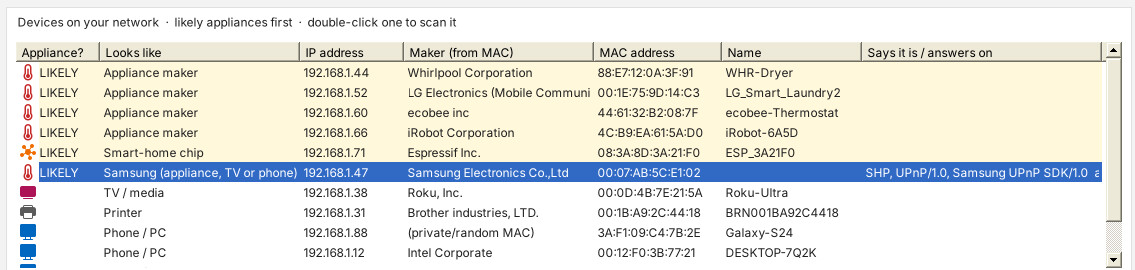
Which of these is the fridge?
Click Find Appliances. Port Scout checks every address, works out who made each device's network chip, reads its name and what it announces, and puts the appliances at the top.
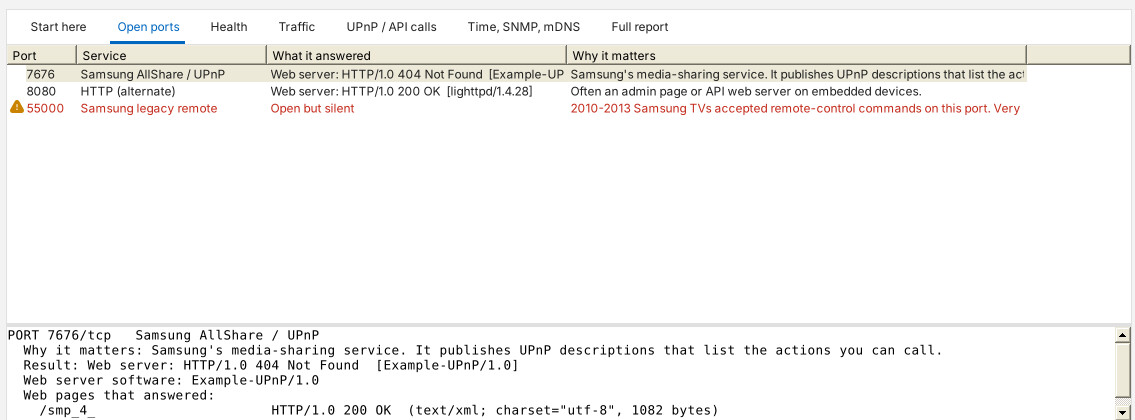
What's it got open?
Double-click an appliance to scan it. Each open port gets a name and a plain-English “why it matters”. Click one for everything it said.
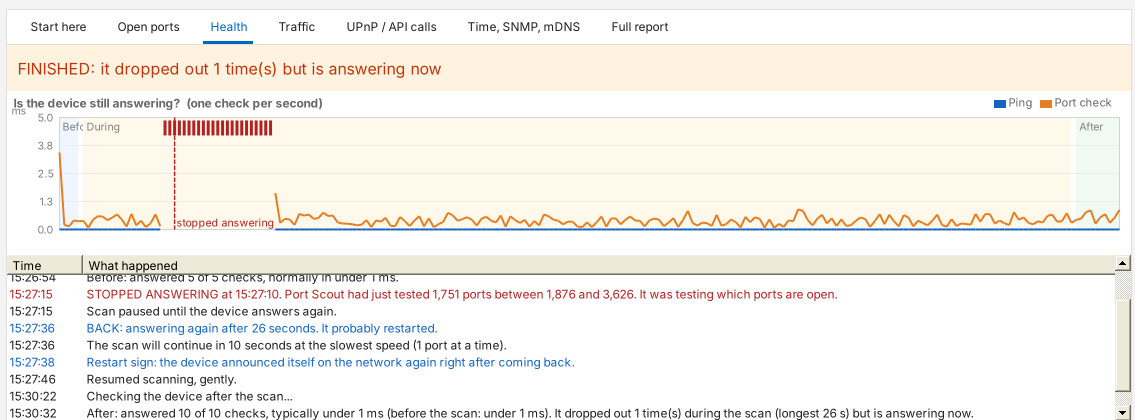
Is it coping?
Port Scout checks the appliance once a second while it scans. If the answers slow down, so does the scan. If it stops answering, the scan pauses until it's back, and the timeline records the moment, the ports being tested and whether it restarted.
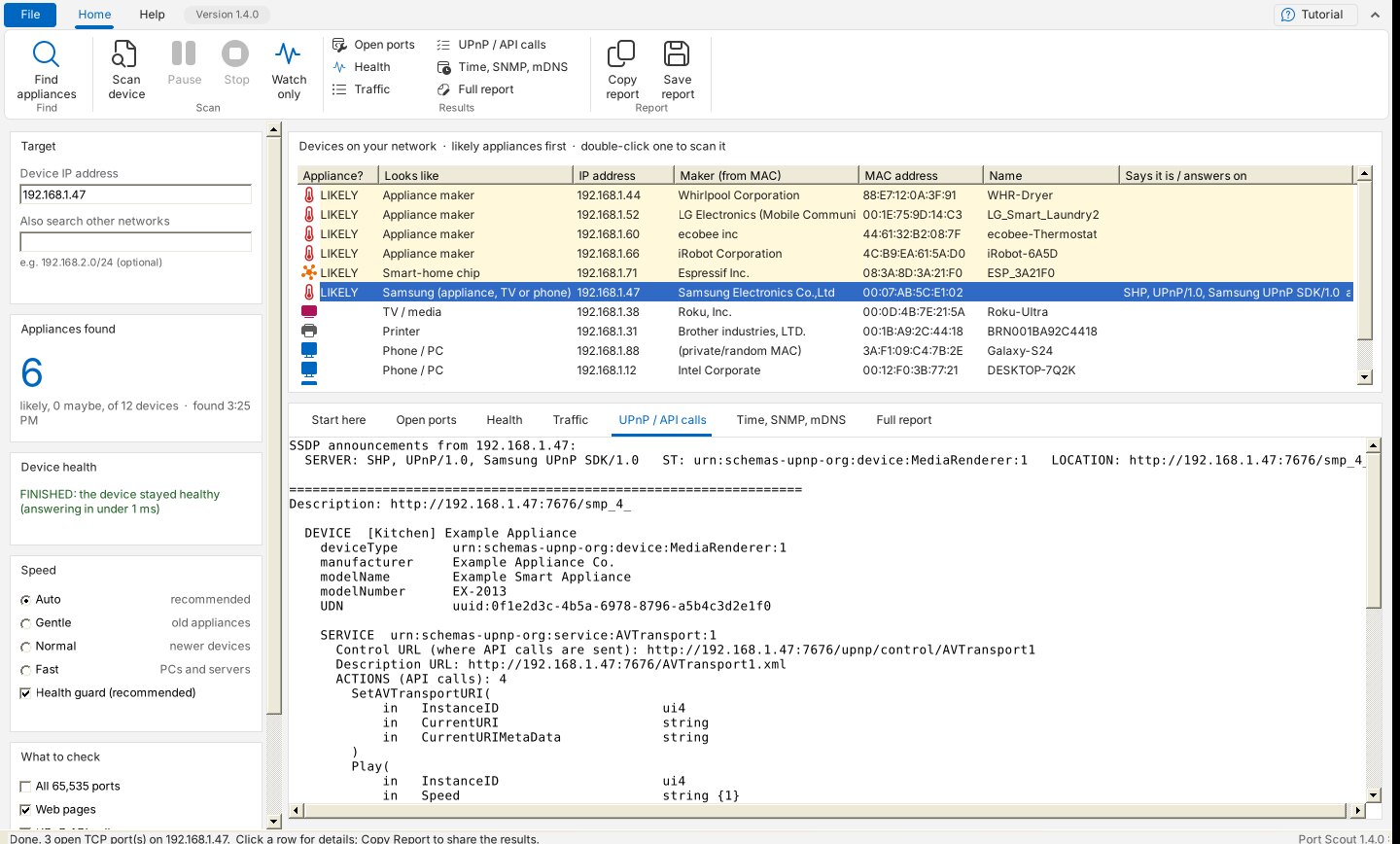
What will it do if you ask?
Many appliances publish a list of the commands they accept. Port Scout reads it and shows every action with its inputs and outputs: the appliance's API, in one place.
Get started
Download, run, click Find Appliances.
- Windows 10 or 11
- One file, nothing to install, no admin rights (uses the .NET Framework 4.8 built into Windows)
- A PC on the same network as your appliances
- Allow it through Windows Firewall on Private networks when asked
- Scan only your own devices, or networks you're responsible for
Seeing “Windows protected your PC”? New programs can trigger SmartScreen until they're widely downloaded: click More info → Run anyway. Only download Port Scout from dialsoft.com. Brand names belong to their owners; Port Scout is not affiliated with any appliance maker. Screenshots show an example network.