
Windows + Android · for Yamaha RX-V & AVENTAGE receivers
RX Scout
The remote control your Yamaha receiver should have come with. Power, volume, inputs, scenes, Zone 2, the tuner and network radio, from your PC or your phone. Plus the settings Yamaha's apps never showed you: speaker levels and distances, input trims, the display dimmer, maximum and power-on volume, HDMI control and ECO mode.
What it does
Everything your receiver can do, in one place.
Never loses your receiver
Finds it automatically, and remembers it by MAC address. If its IP changes, RX Scout finds it again, reconnects, and can notify you by pop-up or email. Keeps watching from the tray.
Everyday control
Power, a big volume control with a safety limit, mute, sleep timer, every input by its real name, SCENE buttons and Cinema DSP programs explained in plain English.
Tuner & network sources
Type an FM/AM frequency, seek, jump to presets, and browse internet radio, your media server, USB, Pandora and SiriusXM menus.
Hidden speaker settings
Every speaker's level and distance, normally only reachable in the on-screen setup menu.
Volume limits
Set the receiver's own maximum volume and the volume it starts at, for the Main Zone and Zone 2.
Display, HDMI & ECO
Front display dimmer, HDMI control (CEC), standby pass-through, output resolution and ECO mode.
Every change verified
After changing a hidden setting, RX Scout reads it back and tells you whether the receiver kept it.
Front & back, live
A drawing of the receiver with a live copy of its front display and keys that work, plus the rear panel with every jack explained and the one in use lit up.
Command Explorer
Every command your receiver understands, as a searchable tree, plus a raw console and a scanner that finds hidden commands. It only reads.
Back up & restore
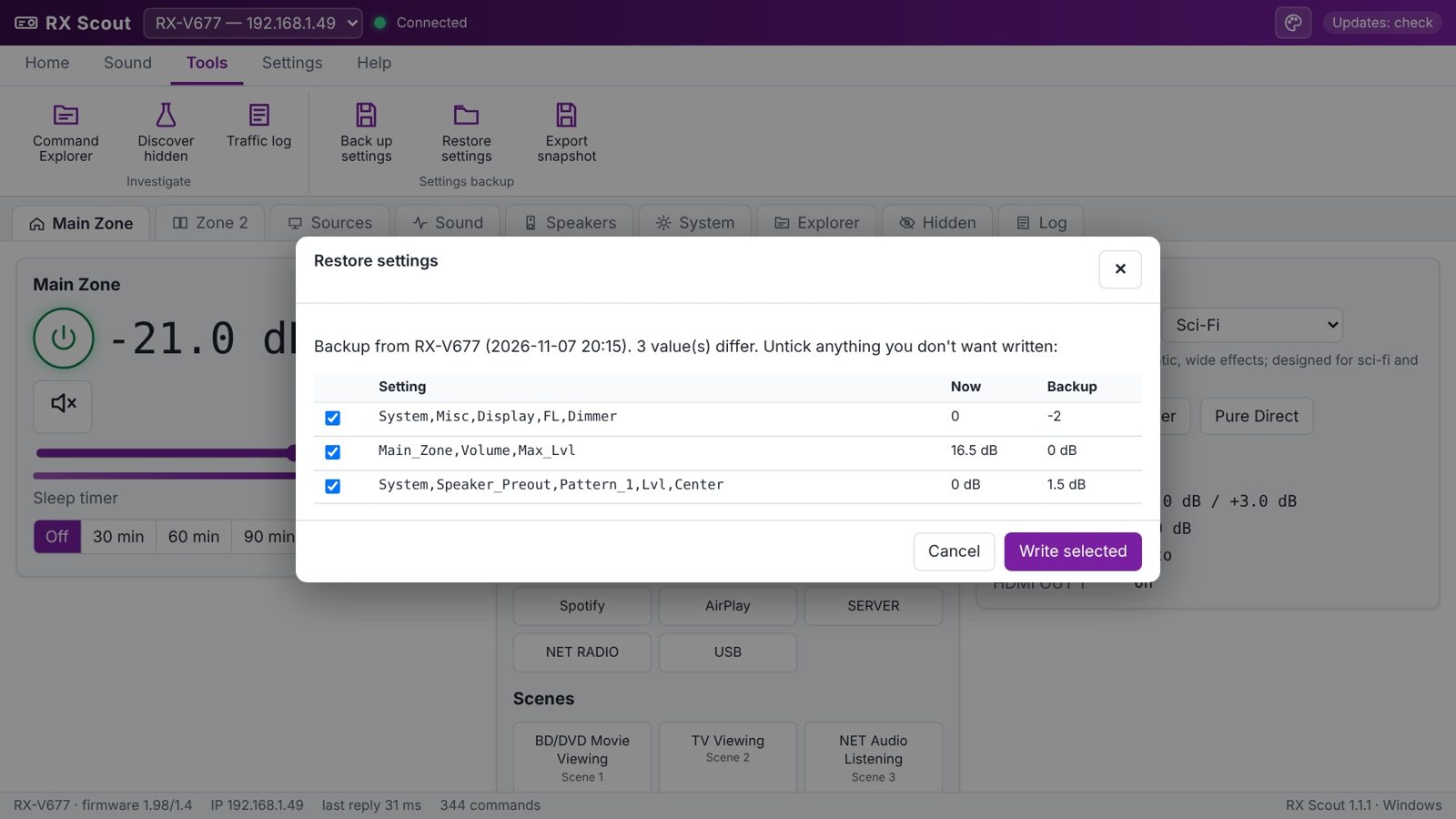
Save all your settings to a file. Restore shows exactly what will change, side by side, before anything is written.
Your colors
Nine color schemes or any color you like, in light or dark. One click on the palette button; it changes instantly.
Phone too
The same app on Android. Your phone's volume buttons control the receiver while RX Scout is open.
Keeps itself current
Checks for new versions, shows what's new, verifies the download's checksum and updates itself on Windows.
Everything you use every day.
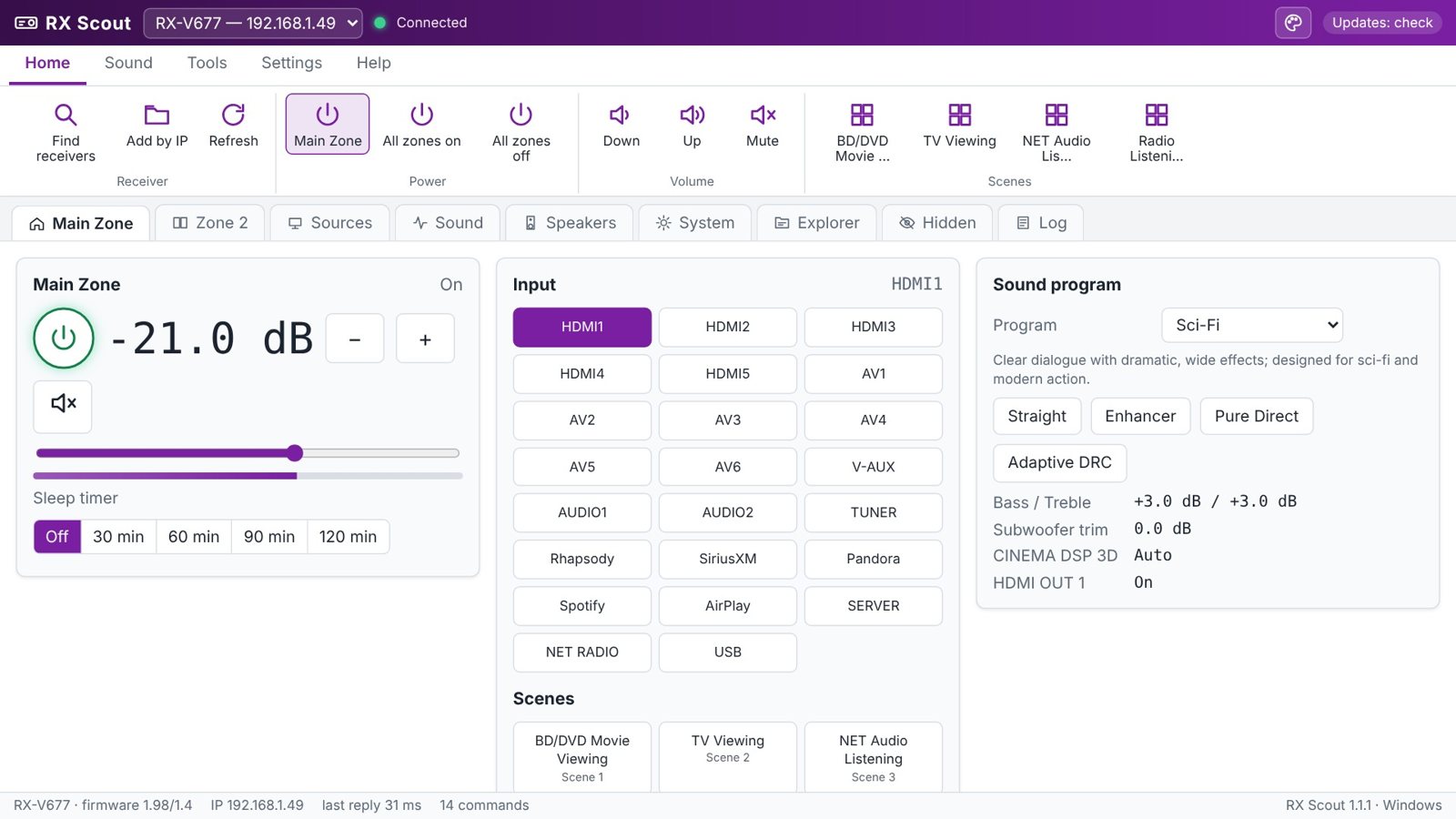
Volume, inputs, scenes and the sound program on one screen. Hover any control (long-press on Android) for a plain-English explanation of what it does.
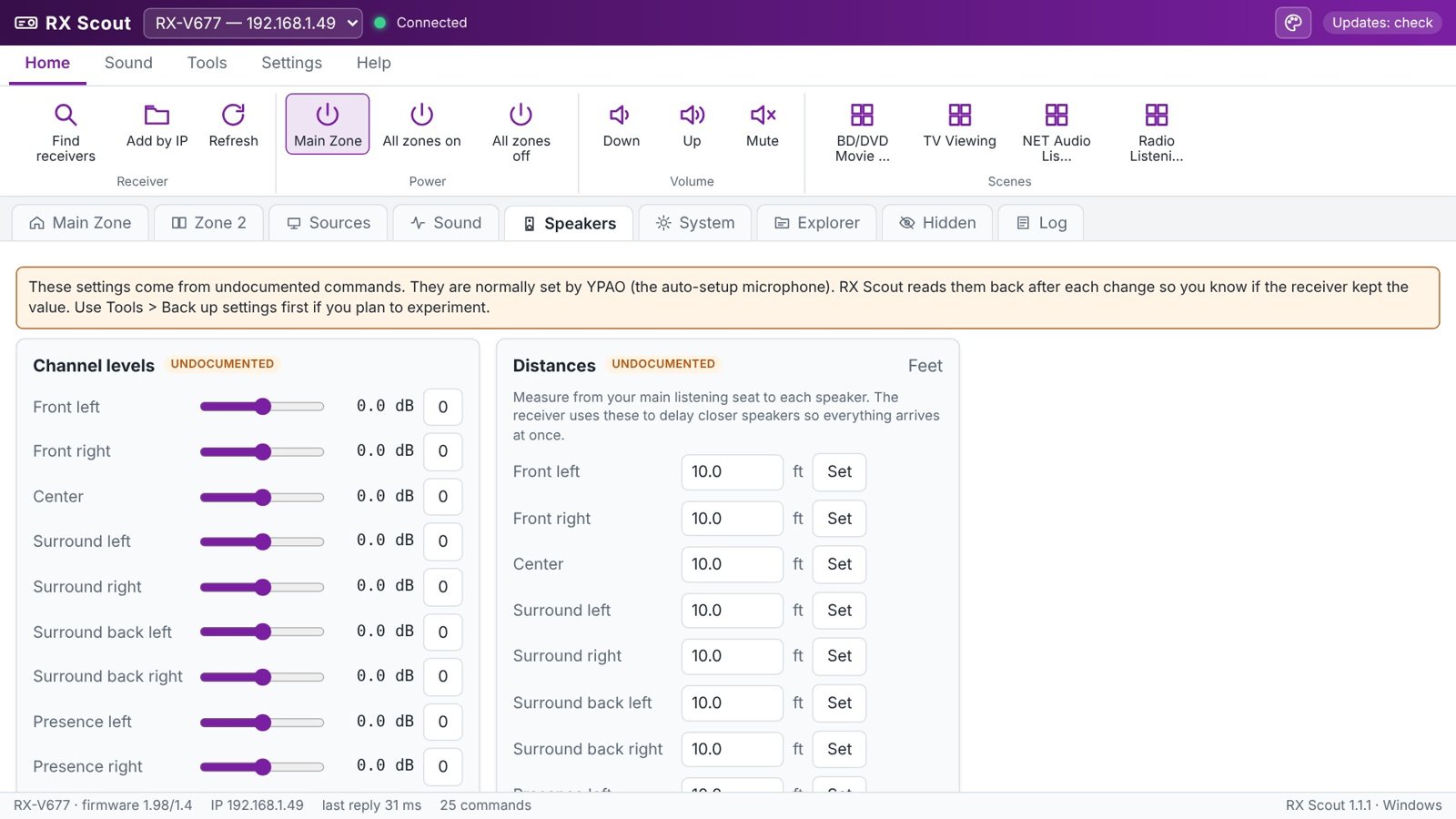
The settings Yamaha hid.
Speaker levels and distances, input trims, display dimmer, maximum and power-on volume, HDMI control and ECO mode. They're marked Undocumented, and every change is read back to confirm it stuck.
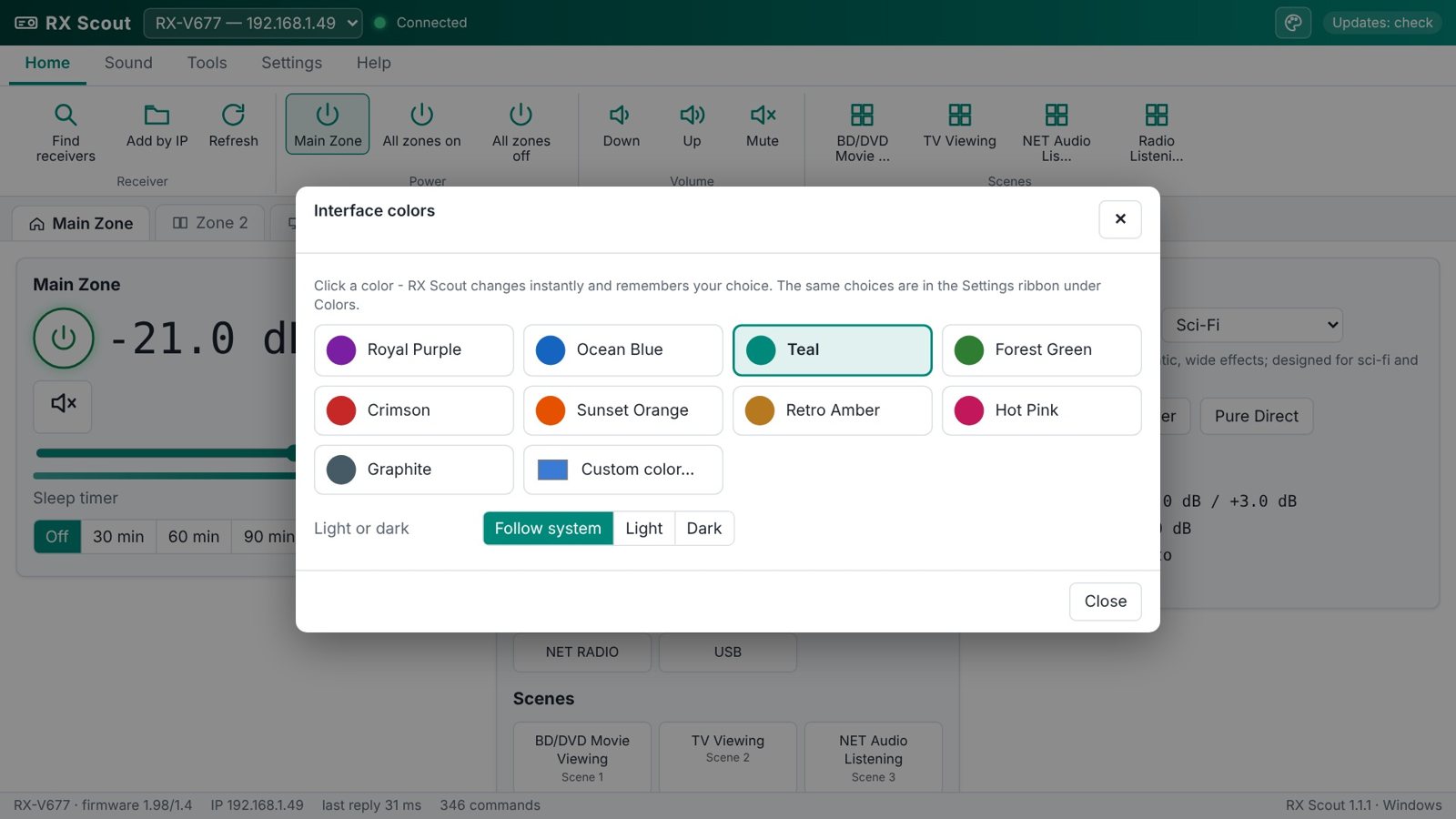
Pick your colors.
Click the palette button at the top right and choose a color. It changes instantly and RX Scout remembers it.
Or pick any custom color, in Light, Dark or follow-the-system mode. Changing colors →
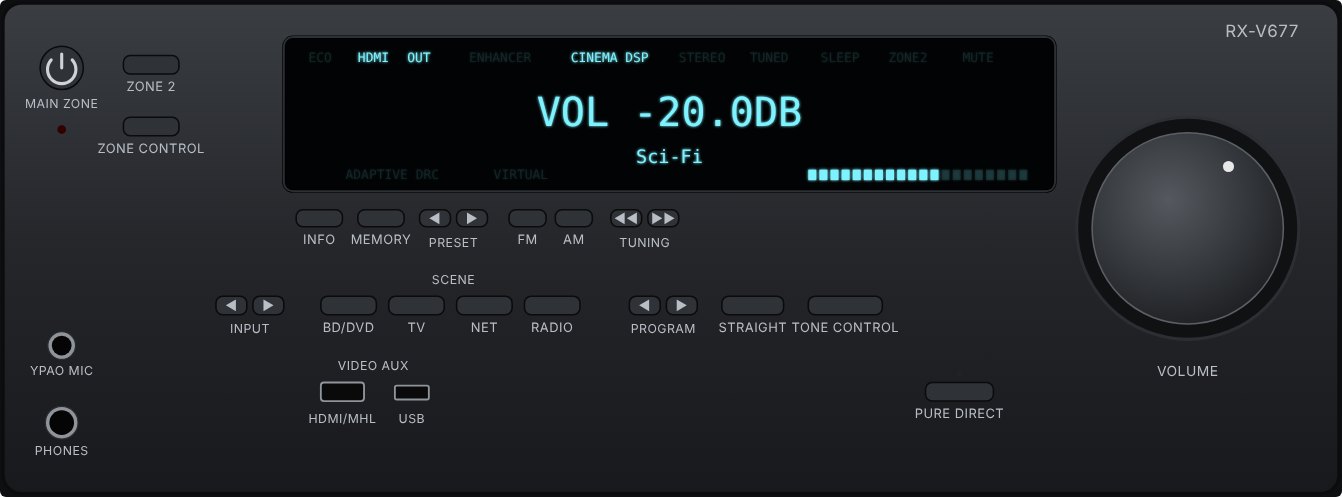
Your receiver, on screen.
The Unit tab draws the front of the receiver with a live display that shows what the real one does, at your dimmer level, and keys that really work. Turn the volume knob with your mouse wheel. Flip to the back to see every jack explained, with the one you're using lit up.
Back up before you tinker.
One click saves 57 settings to a file. Restore compares the file with the receiver and lists only what's different, with a tick box for each.
Get started
Download, run, done.
- Yamaha network receiver from about 2010-2016 (RX-V671 to RX-V681, RX-A700 to RX-A3060 series). Built on the RX-V677.
- Windows 10 or 11 (64-bit), or Android 7 or newer
- PC or phone on the same network as the receiver
- No installer, no admin rights; Microsoft Edge WebView2 (built into Windows)
- Receiver's Network Standby On, to turn it on from standby
- Not for MusicCast-era models (RX-V683 and newer), which use a different protocol
Seeing “Windows protected your PC”? New programs can trigger SmartScreen until they're widely downloaded: click More info → Run anyway. Only download RX Scout from dialsoft.com. RX Scout is an independent Dialsoft product and is not affiliated with Yamaha Corporation; Yamaha, AVENTAGE, CINEMA DSP and YPAO are trademarks of Yamaha Corporation.